
Still saving passwords, like API keys, in Word docs, Excel files, or in files or environment variables? Same as the others, you are missing the point, as this is the biggest security risk. With the expansion of infrastructure, organizing the credentials will become a daunting and overwhelming task. Imagine this: you are organizing passwords and keys in Excel, and one random person got access, that is the enormous mess that you will be in. That difference is the reason why bookkeeping is turned upside down in AWS Secrets: it is game-changing.
In this article, I will walk you through everything you need to know about AWS Secrets Manager. Its important components will be covered along with its pricing, setup, and the finest practices needed to be adopted. By the conclusion of the piece, one should be a lot more comfortable with using the tool. With the proper adoption of AWS Secrets Manager, applications could be tightened and DevOps procedures optimized.
What is AWS Secrets Manager?
AWS Secrets Manager is an important part of AWS security systems focused on consolidating the management of secrets. Think of it as an automated virtual safe for application secrets with built-in versioning and rotation. No longer is sensitive information hard-coded into application code or locked away in poorly safeguarded configuration files. Instead, it is stored safely in Secrets Manager, from which it is retrieved via secure API calls whenever needed.
Such an approach offers a significant improvement in the use of old technologies like environment variables or unprotected files, which are often very easy for someone to access and hard to control in large amounts. AWS Secrets Manager is designed to manage and protect sensitive information, like:
Credentials to databases.
Third-party service application keys.
OAuth tokens.
SSH keys and other private keys.
Key Features of AWS Secrets Manager
AWS Secrets Manager comes with a host of features aimed at automating and securing the secrets to its entirety. Below are the secrets’ key features:
Automatic Rotation: Enable us to automate the rotation of certain sensitive information, such as secrets to the database, which can be done via AWS Lambda. This means secret rotation can be done without downtime, thus eliminating manual effort.
Encryption: All secrets that are saved in AWS Secrets Manager are encrypted at rest with encryption keys you own, which are backed by AWS KMS. Your secrets, which are stored even on some accessed underlying storage, cannot be read without the proper access permissions.
Fine-Grained Access Control: Integrated with IAM, Secrets Manager allows you to set specific access to particular secrets by defining which users and entities, through roles and policies, can interact with such levels of information. This follows the principle of least access and controls who can access sensitive data.
Cross-Account Access: Allows secure sharing of secrets to other AWS accounts. Helps in simplified management of credentials in complex multiple accounts set up, and also for secure sharing with external third-party accounts.
Auditing and Monitoring: Each of the API calls related to a certain secret, which is stored in the service, is tracked through AWS CloudTrail, thus providing a complete record of all the calls. This enhances your compliance in secret management and offers complete, unclouded oversight on the secret as well as information access and related security events.
Versioning and Replication: Maintain access logs for secret version history for quick rollback and replicate secret access across AWS Regions. This ensures application availability, disaster recovery, and application resilience.
Why Use AWS Secrets Manager?
Transitioning from unsecured scattered pieces of credentials to a secret management solution is beneficial from a security, operational, and compliance standpoint.
Think of it: Instead of hoping that the sensitive data is secure and safe from unauthorized use, you will absolutely know that it is.
Some of the use cases for AWS Secrets Manager are:
Secure Database Connections: Your applications programmatically retrieve database credentials from Secrets Manager at runtime. With rotation-enabled features, passwords can rotate frequently and change without a single code modification.
Microservices Credentials: Tokens and API keys from several microservices can be stored in a single system to facilitate secure communication across services.
CI/CD Pipeline Secrets: Secrets are saved in the logs and scripts, which are directly exposed to the CI/CD tools for unrestrained access.
Compliance Requirements: Practically any framework can be complied with, including PCI DSS, ISO, and SOC, using broad, detailed audit logs, intricate access control, and strong encryption.
AWS Secrets Manager vs. Parameter Store
AWS also provides a Systems Manager Parameter Store. Both secrets are encrypted but used in different scenarios.
Feature | AWS Secrets Manager | Systems Manager Parameter Store |
Rotation | Automatic, built-in rotation | Manual or custom solution required |
Pricing | Paid per secret and per API call | Free for standard parameters |
Encryption | Integrated with AWS KMS (required) | Optional integration with AWS KMS |
Primary Use Case | Managing secrets (credentials, API keys) | Storing configuration values and parameters |
So, which one to use and when?
AWS Secrets Manager is best for sensitive data that requires lifecycle management, including automatic rotation and cross-account access. This includes database credentials, API keys, and OAuth tokens.
AWS Systems Manager Parameter Store is best for generic configuration data, including feature flags, endpoint URLs, and other non-sensitive parameters. This solution is cheaper for data that does not need automated rotation.
AWS Secrets Manager Pricing Explained
AWS Secrets Manager uses a pay-as-you-go pricing model with two main cost components:
$0.40 per secret per month.
$0.05 per 10,000 API calls.
Let's break down the cost with an example:
Imagine you manage 50 secrets and generate 100,000 API calls each month. Your monthly bill would look like this:
(50 secrets × $0.40) + (10 units of 10,000 API calls × $0.05) = $20.50 per month.
While this cost is generally manageable for many organizations, but you can optimize further:
Delete unused secrets.
Rotate only critical secrets.
Combine low-sensitivity values in Parameter Store.
How to Use AWS Secrets Manager
Let’s walk through a step-by-step tutorial to create secrets:
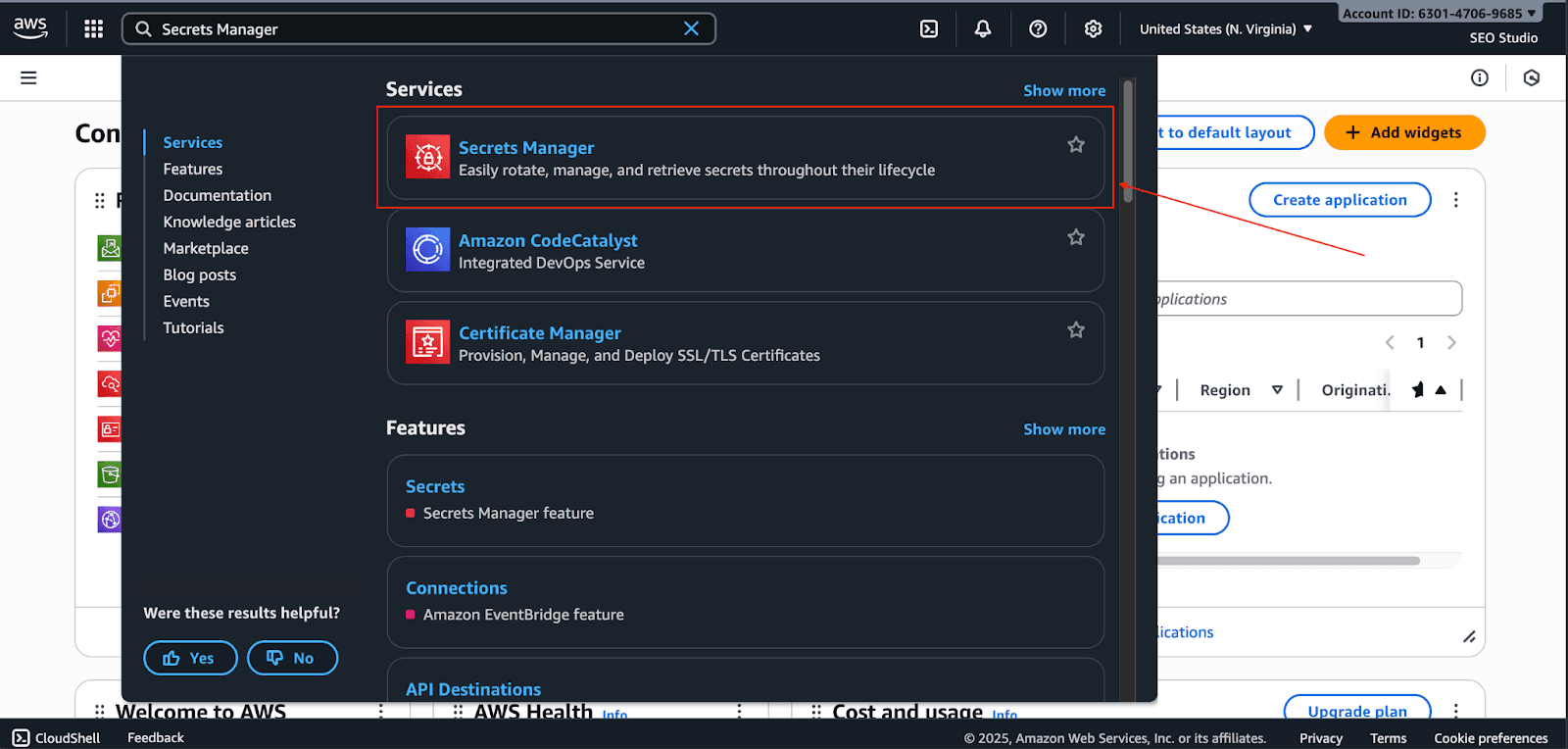
Go to the AWS Secrets Manager in the AWS console.
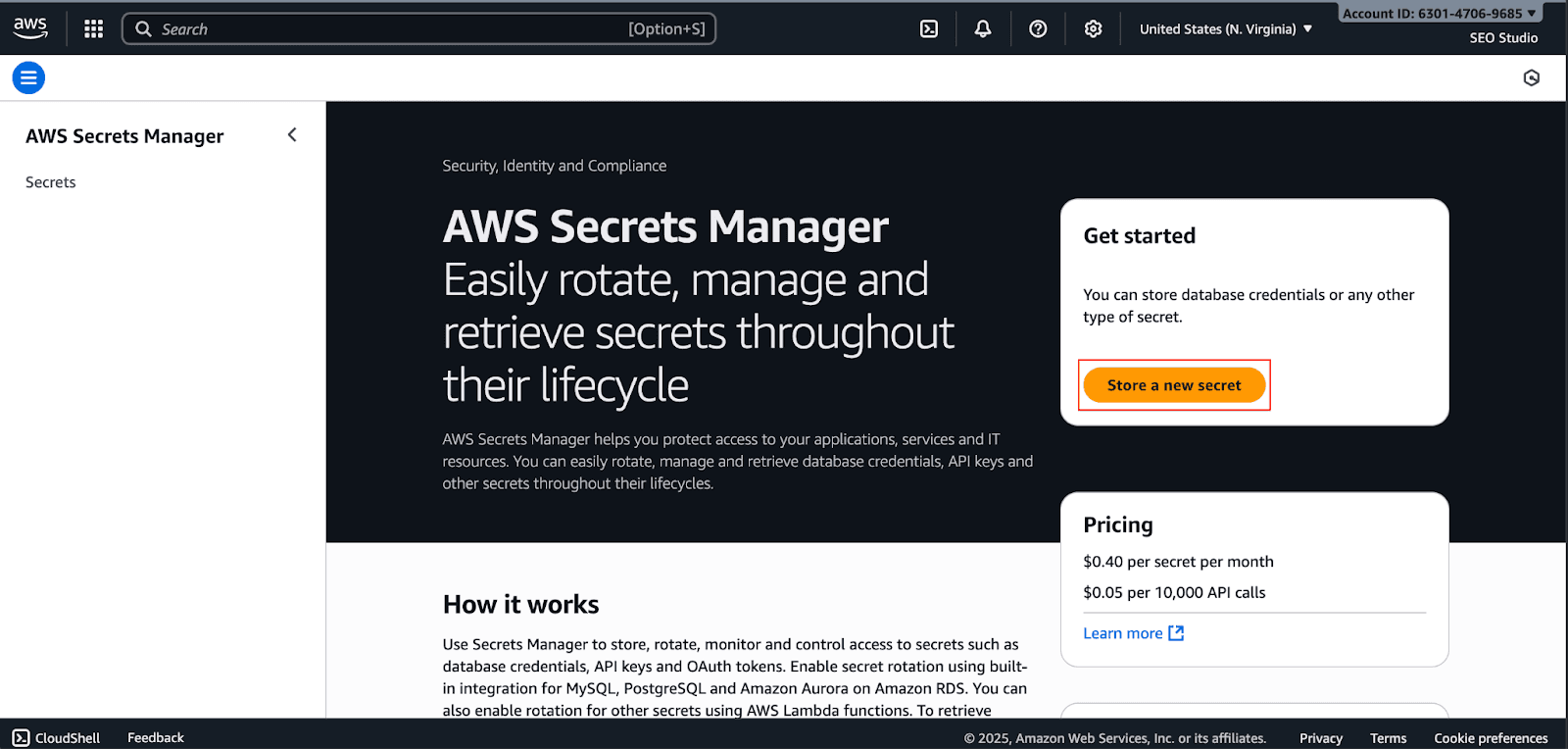
Click Store a new secret.
Choose the secret type (e.g., Credentials for RDS database or Other type of secret). For this example, select Other type of secret.
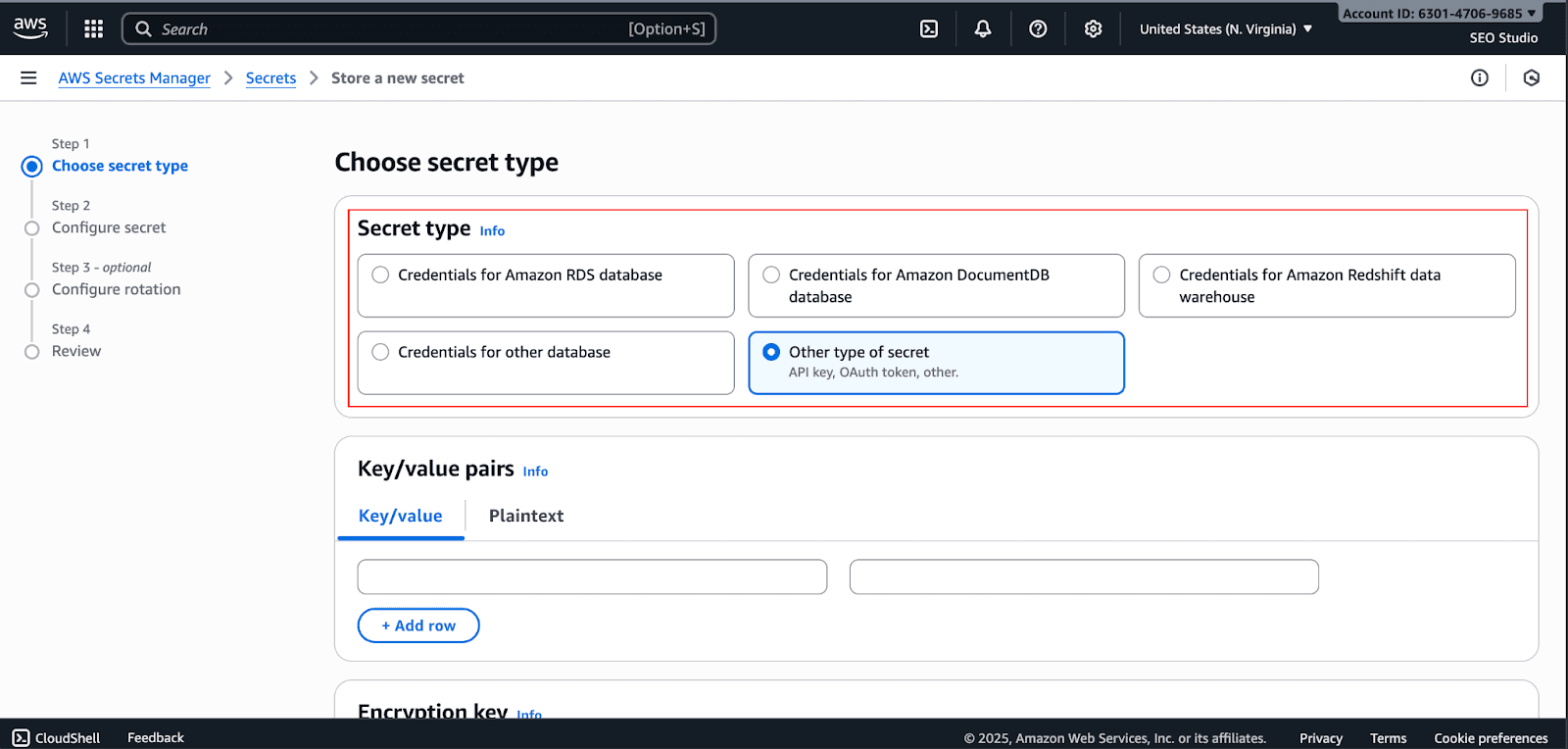
Create a key-value pair.
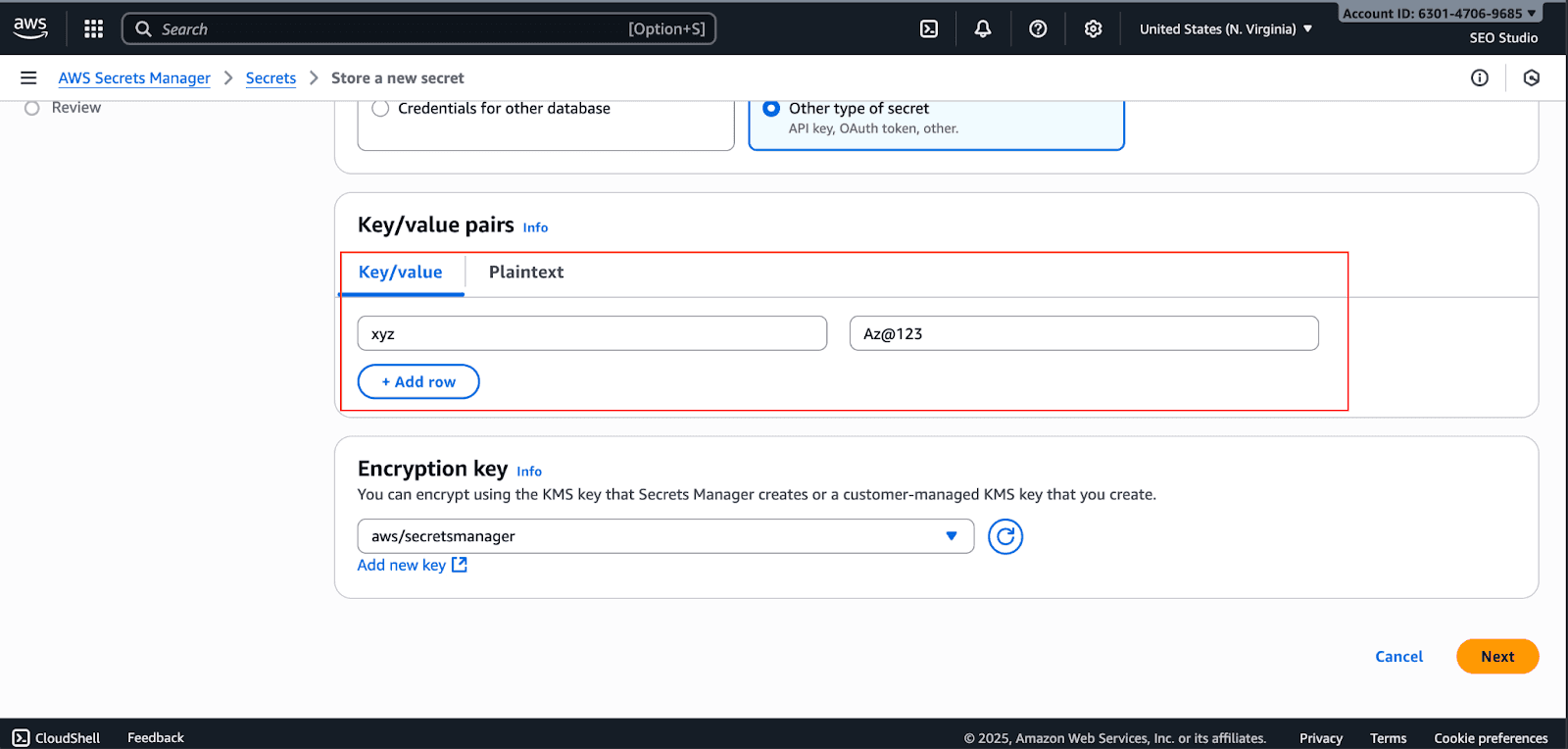
Choose AWS KMS encryption key. You can use the default AWS-managed key or a customer-managed key for more control, and click on Next.
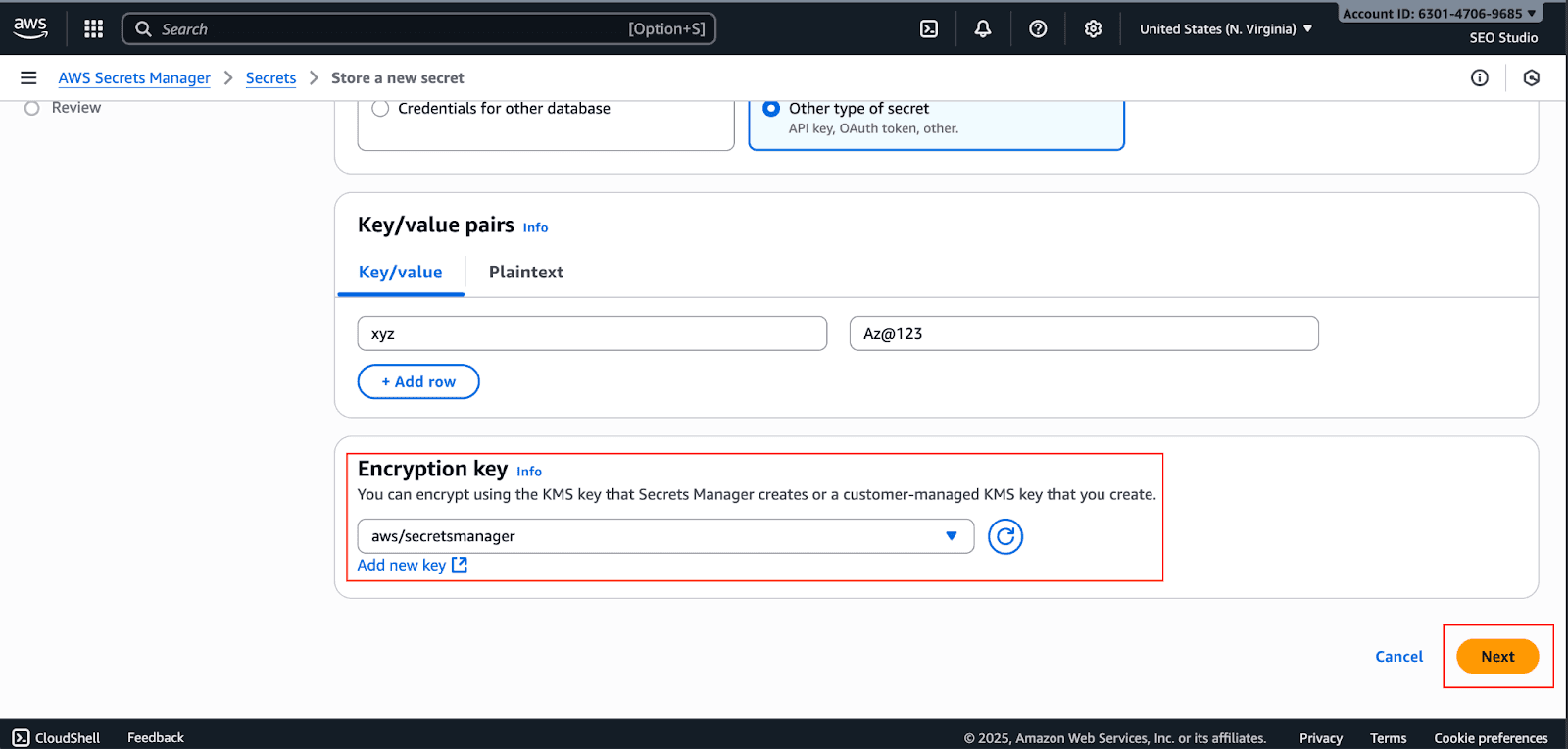
Give your secret a name (e.g.,
prod/MyWebApp/ApiKey) and an optional description.
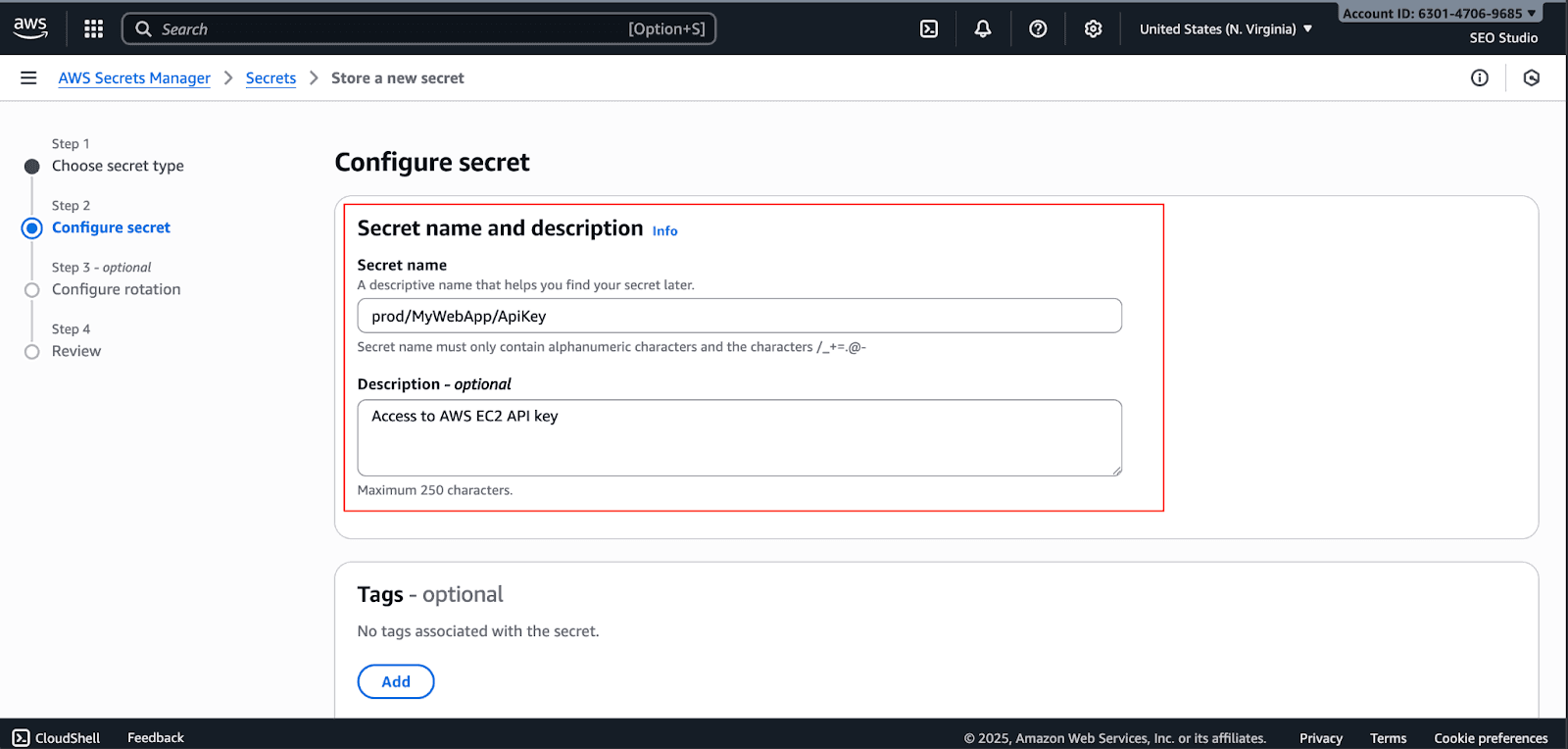
These are optional; you can choose if you need them, or else skip and click on Next
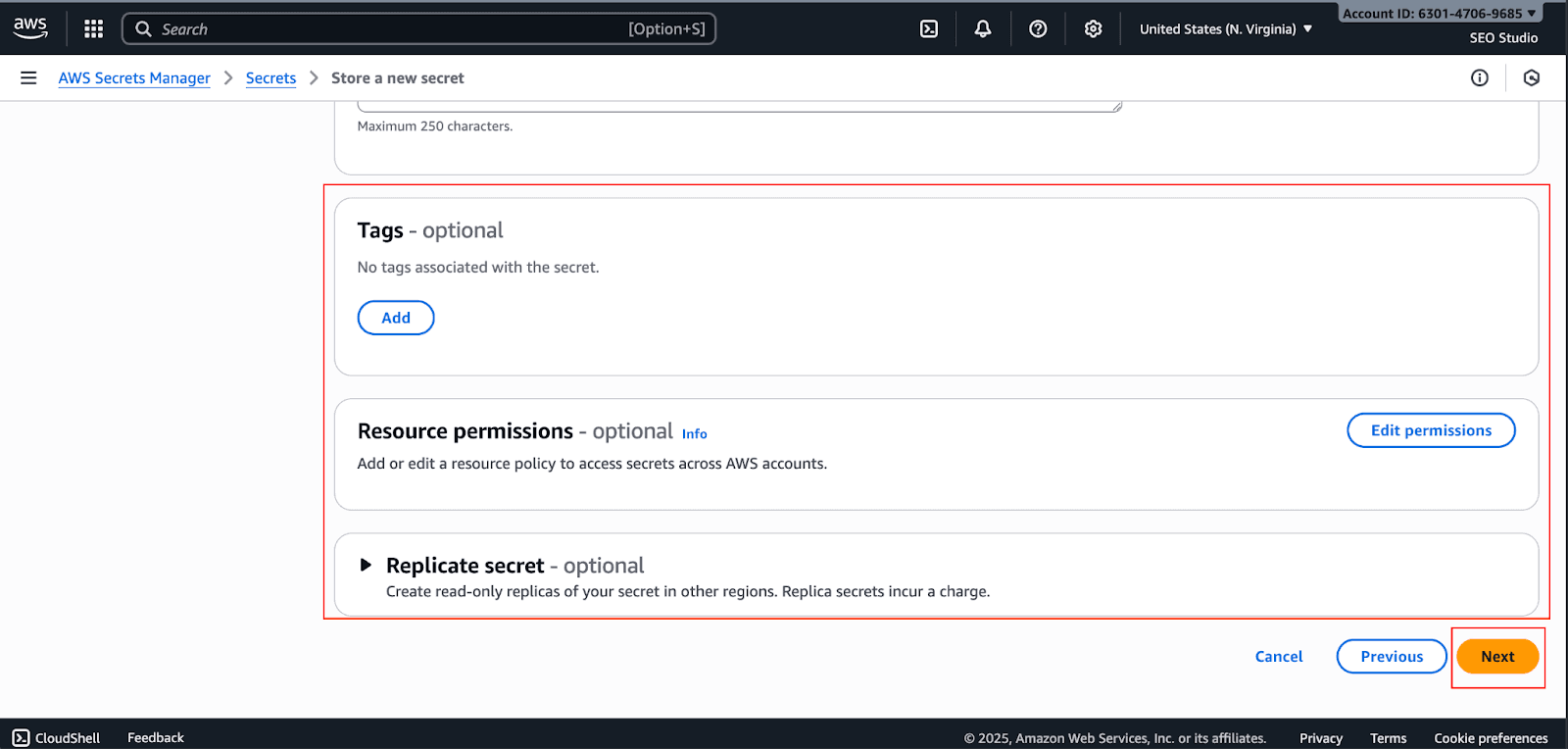
Configure automatic rotation if needed. This step creates a Lambda function to handle the rotation logic and click Next.
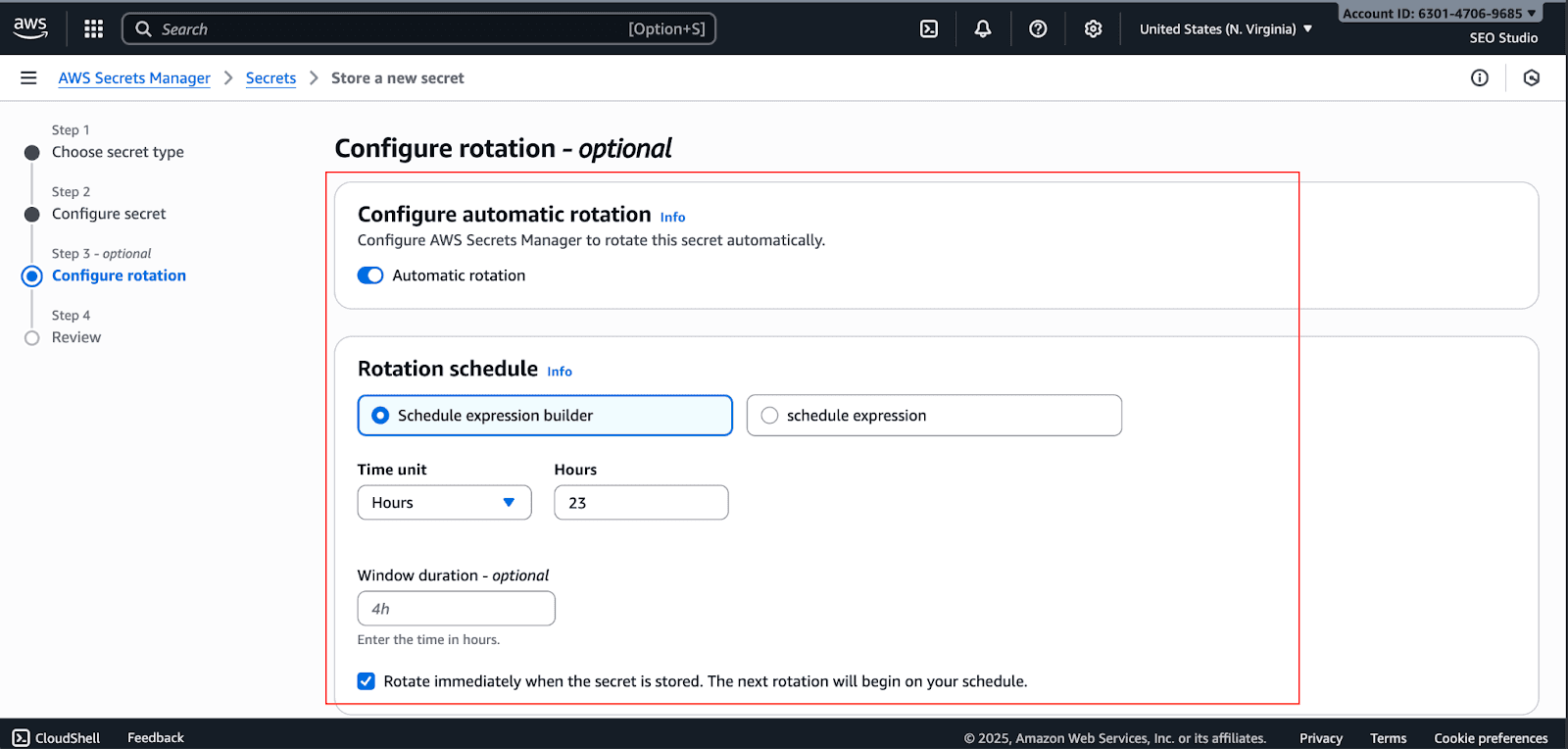
Review your settings and click Store.
Best Practices for Using AWS Secrets Manager
To maximize security and efficiency, follow these best practices:
Use the Principle of Least Privilege: Limit permissions to the bare minimum for users via their IAM policies and control which users and roles can access which secrets.
Enable Automatic Rotation: For all critical credentials, such as database passwords, the intervals for automatic rotation should be minimal to decrease the window of opportunity for attackers.
Isolate Environments: Use separate secrets for your development, staging, and production environments. This ensures that production cannot be compromised by breaches in inferior environments.
Log and Monitor Everything: Enable CloudTrail logging for all secret access and set up CloudWatch alarms for suspicious activity, such as a high number of retrieval attempts.
Replicate for Resilience: For high-availability applications, replication of critical secrets across multiple AWS Regions is required for disaster recovery applications.
Common Mistakes to Avoid
Even with a powerful tool like AWS Secrets Manager, mistakes can happen. Here are a few to watch out for:
Forgetting to Rotate Secrets: One of the biggest benefits of the service is lost by not enabling or properly setting up the auto-rotation of secrets.
Granting Overly Broad Permissions: Using wildcard permissions is a major security risk. Always scope down permissions to specific secrets and actions.
Ignoring Regional Replication: Lack of secrets replication can expose your multi-region applications to risk if one region goes down.
Storing Too Many Temporary Secrets: Paying for extended services used to create numerous short-lived secrets can cause unwanted costs. Consider whether ephemeral secrets are indeed needed for your process.
Conclusion
I hope this guide has helped you learn everything you need to know about AWS Secrets Manager. It is an essential piece of technology for any serious company with regard to online security. It turns the management of secrets, which is often a labor-intensive, risky, and manual process, into a fully automated, secure, and auditable one. The more you rotate your secrets with centralized access and strict control, the more your security posture is enhanced, and the burden is lowered on your teams to create outstanding products.
Ready to take control of your cloud secrets? First, pinpoint your most valuable credentials and transfer them to AWS Secrets Manager.
Join Pump for Free
If you are an early-stage startup that wants to save on cloud costs, use this opportunity. If you are a start-up business owner who wants to cut down the cost of using the cloud, then this is your chance. Pump helps you save up to 60% in cloud costs, and the best thing about it is that it is absolutely free!
Pump provides personalized solutions that allow you to effectively manage and optimize your Azure, GCP and AWS spending. Take complete control over your cloud expenses and ensure that you get the most from what you have invested. Who would pay more when we can save better?
Are you ready to take control of your cloud expenses?



