

When your website takes forever to load, users don't wait around; they bounce. Studies show that even a one-second delay in page load time can reduce conversions by 8.4%. This is where Amazon CloudFront, AWS's global content delivery network, becomes your secret weapon for lightning-fast content delivery.
CloudFront uses a sophisticated multi-tier caching system that includes edge locations and regional edge caches to ensure your content reaches users with minimal latency. Think of it like having multiple warehouses strategically placed around the world, each storing your most popular items closer to your customers.
By the end of this article, you will understand exactly how these caching layers work together and which approach best fits your specific use case. Whether you're serving millions of users globally or optimizing costs for a growing business, mastering CloudFront's caching architecture is essential for peak performance.
What is Edge Caching in CloudFront?
CloudFront's content delivery strategy, edge caching, is the first layer of distributing the content. Upon receiving a content request, CloudFront automatically connects the request to the nearest edge location among more than 400 points around the globe. These edge locations have copies of your content, which immensely cuts down data travel distance.
Let me tell you how edge caching works - Let’s imagine you are in Bangalore and you request a video on a server situated in the US. Rather than the request covering 8,000 miles, CloudFront fetches it from the edge location in Bangalore. Response times are, consequently, improved from seconds to milliseconds.
Key benefits of edge caching include:
Ultra-low latency: Content is served from the nearest point physically.
Reduced origin load: Fewer requests are made to the original server.
Enhanced user experience: Improved page load times and streaming.
Higher cache hit ratio: Content that is more popular is more readily available.
Edge locations are particularly good at delivering content that is accessed a lot in a short period of time. These include images, CSS files, JavaScript, and streaming media. By default, objects are cached for 24 hours, but TTL settings can be modified based on the frequency of content updates.
What are Regional Edge Caches?
Regional edge caches are an intermediary tier of CloudFront, which sits between edge locations and origin servers. Regional edge caches are less focused than edge locations on low-latency access and serve a wider variety of objects, even items that are less frequently accessed.
Consider regional edge caches to be similar to regional distribution centers. When a piece of content is absent from a local edge location, the local edge cache will access the regional edge cache before going to the origin server. This extra layer of caching origin server requests greatly reduces the latency of content that doesn’t fully reach the edge level.
Key benefits of regional edge caching include:
Better cache efficiency: Increase the total content and the duration it is stored in the cache.
Reduced origin costs: Fewer requests to spend on bandwidth and compute resources to the origin servers.
Improved performance: Even content that is uncommonly requested is faster to access compared to requests that are routed directly to the origin.
Enhanced scalability: Manage traffic bursts more easily without straining your network resources.
Let me tell you how regional edge caching works - Let's imagine your regional edge cache in Singapore can serve regional edge caches in Southeast Asia, providing consistent performance when some edge locations can’t cache the requested content.
Edge Caching vs Regional Edge Caches: Key Differences
Here’s a simple comparison to show how each caching layer works differently while complementing the other:
Feature | Edge Cache | Regional Edge Cache |
Location | Closest to end users | Between edge locations and origin |
Latency | Lowest possible | Moderate, but better than the origin |
Cache Duration | Shorter (popular content) | Longer (broader content range) |
Primary Purpose | Immediate content delivery | Reduce origin server load |
Best Use Case | High-traffic, popular content | Less frequent, diverse content |
Geographic Coverage | 400+ worldwide locations | Strategic regional hubs |
Content Volume | Smaller, most popular objects | Larger variety of objects |
How CloudFront Uses Both Layers Together
(Image source: AWS CloudFront)
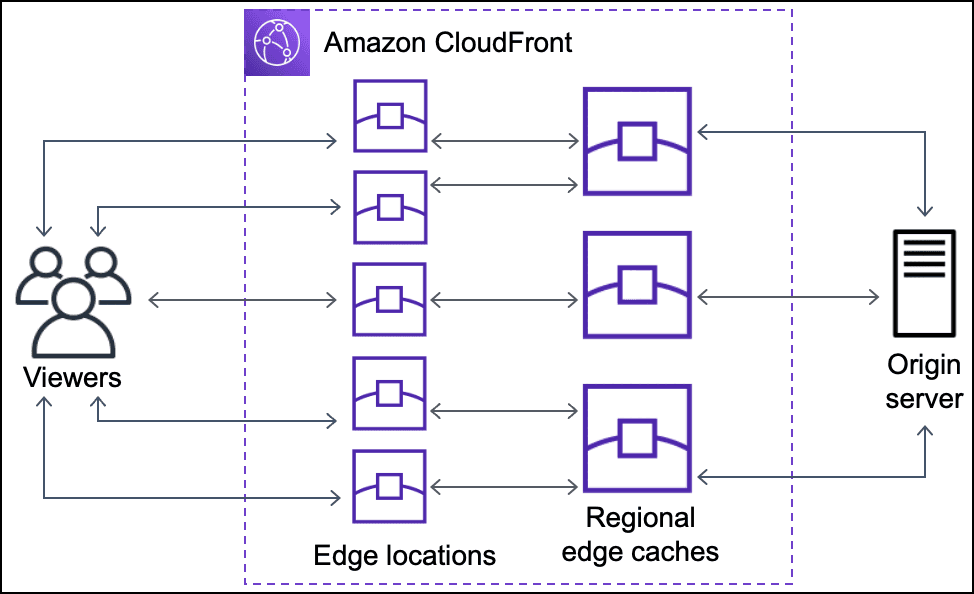
AWS CloudFront is able to power the intelligent request routing system that is associated with the second and first layers of cache with vivid integration, which completely utilizes both layers. The moment a user wants to access a piece of content, there is a hierarchy that is followed by CloudFront:
Edge Location Check: The first location that is visited is the closest edge, and CloudFront wants to see whether the object that is being asked for is available in that location.
Regional edge cache query: Is the object available in the edge? If the answer is no, then the edge location makes a query to the regional edge cache that is most appropriate for the object.
Origin Fetch: The moment CloudFront realizes that neither cache has the content, it decides to go to the origin server, and that is where it acquires it from.
The most CloudFront is capable of doing economically is achieving maximum performance and minimum cost. All the regional edge cache and the edge requesting location do is store the content after it is acquired from the origin, and that content is then used when needed in the future.
The achievement of fully automated optimization is the most commendable aspect of this system. Highly demanded content with repetitive access gets pushed to the edge locations, while the regional edge caches take care of the tail that is less frequently requested. There is no additional work needed for you to reap the benefits of both.
Performance & Cost Implications
The dual caching architecture delivers measurable benefits across multiple dimensions:
Performance Improvements:
Response times are reduced by up to 85% compared to origin-only deliveries.
Properly configured systems show cache hit ratios of 85-95%.
Performance consistency even during peak times.
Enhanced user experience globally.
Cost Optimization:
Lowered origin server bandwidth costs.
Lowered computing and infrastructural costs.
Reduced inter-regional AWS data transfer costs.
More controlled cash flow.
You observe this kind of improvement by using CloudWatch metrics, along with the dedicated cache hit ratio, origin requests, and response times. A properly optimized CloudFront distribution records low origin fetches and high cache hit ratios.
Use Cases: When to Use Edge vs Regional Edge Cache
Different scenarios require different caching strategies. Here’s a breakdown of when to use each:
Use Edge Cache When:
Your users are accessing videos or engaging in real-time activities.
Your users access eCommerce sites regularly, and there is a need for speed and reliability.
You frequently deliver static content, and users often access images, CSS, or JavaScript.
Use Regional Edge Cache When:
You are hosting enterprise applications with content that is accessed moderately.
Your users are in different geographical infrastructures.
You are trying to reduce origin load and costs for unpopular content.
The goal is to match your content's access patterns to the right caching strategy. High-traffic content is best served by edge caches, while broad content catalogs can leverage regional edge caches to balance performance and cost.
Step-by-Step Guide: Configure Edge and Regional Edge Caches in CloudFront
Setting up optimized caching requires careful configuration through the AWS CloudFront console:
Step 1: Create Your CloudFront Distribution
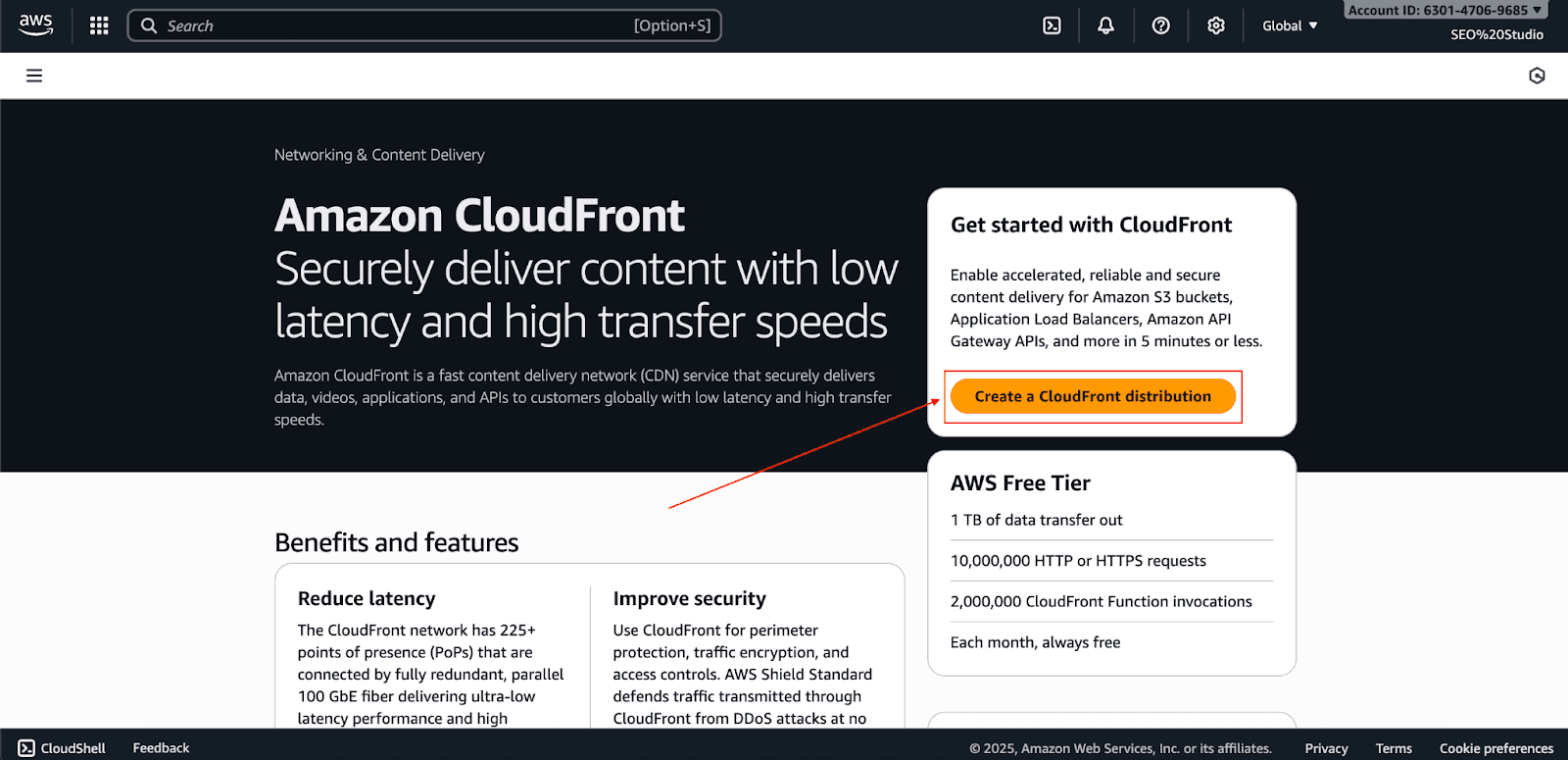
Go to the CloudFront console and click Create Distribution.
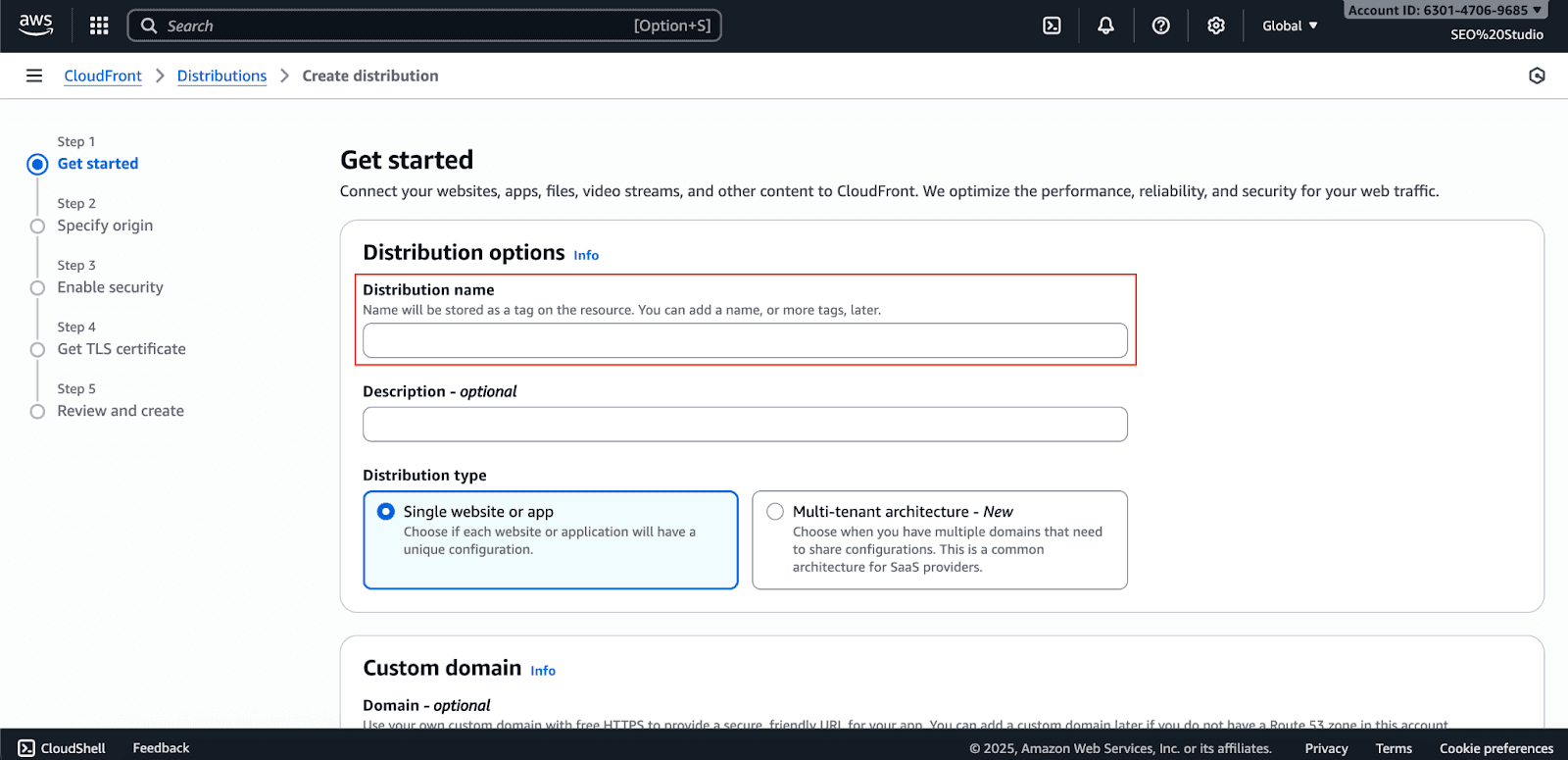
Type the Distribution name.
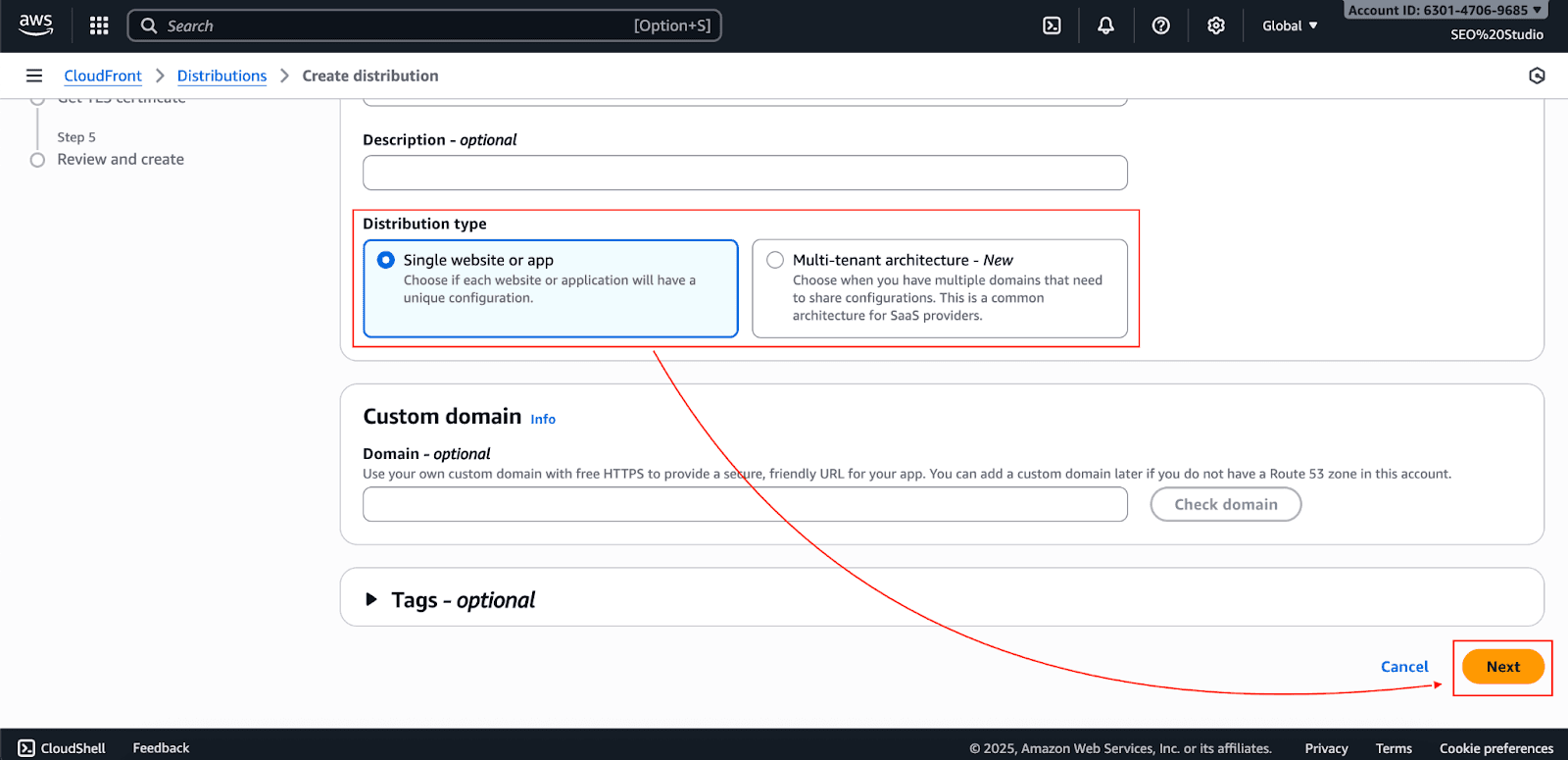
Choose the distribution type as single website or multi-tenant based on your preference and click Next.
Choose your origin (S3, ELB, or custom origin)
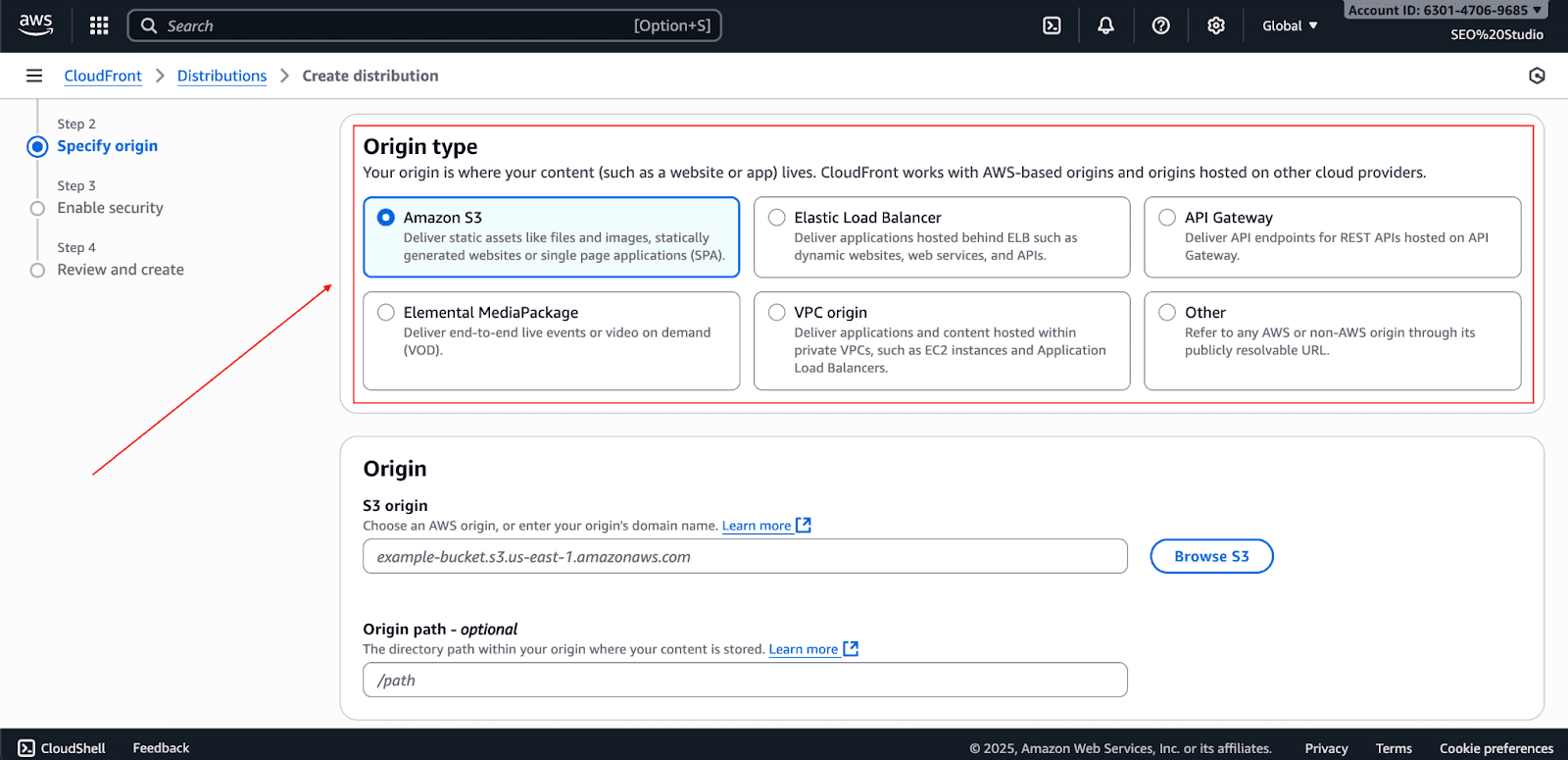
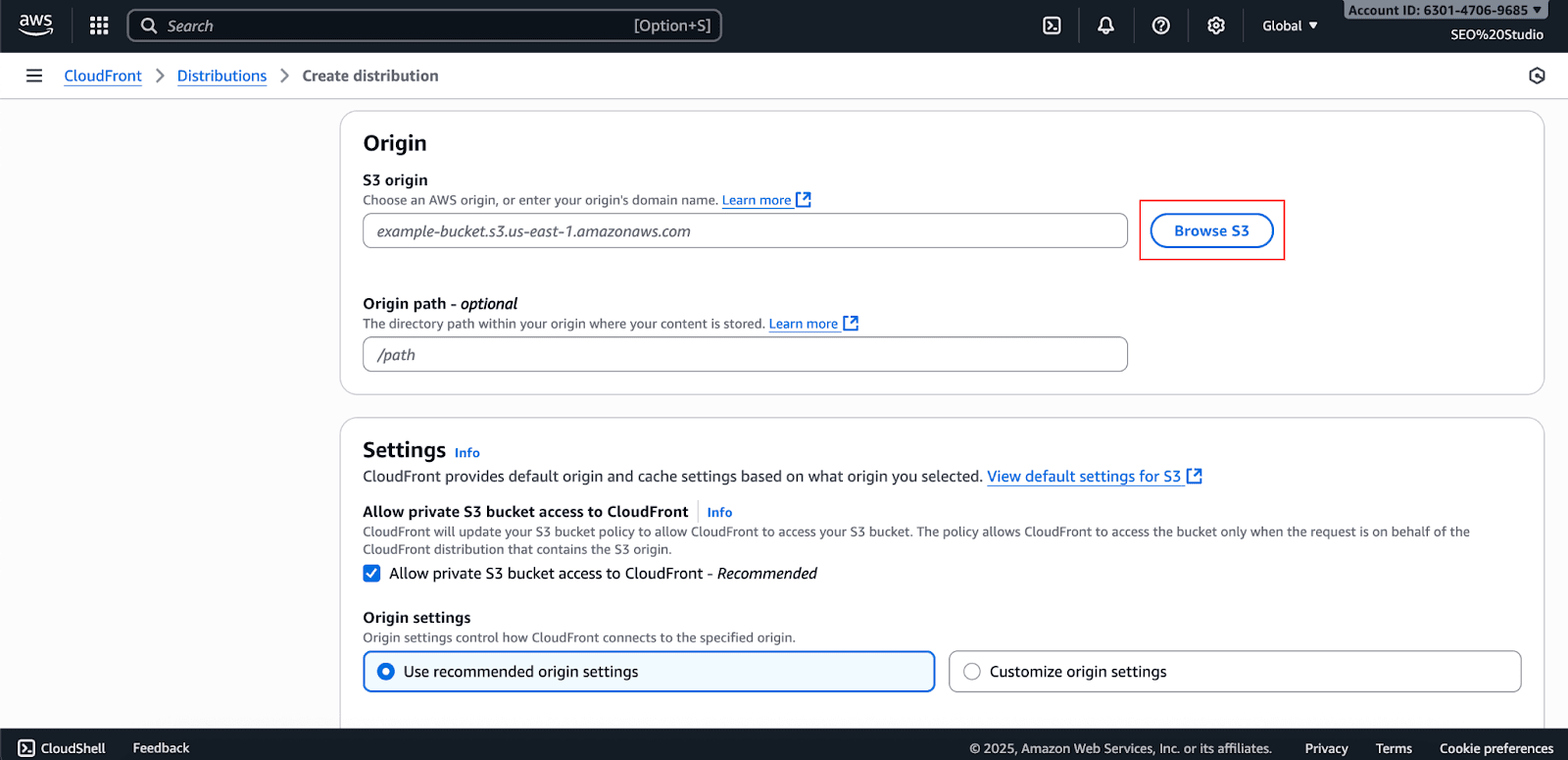
And then choose the Bucket from the dropdown by clicking on Browse S3.
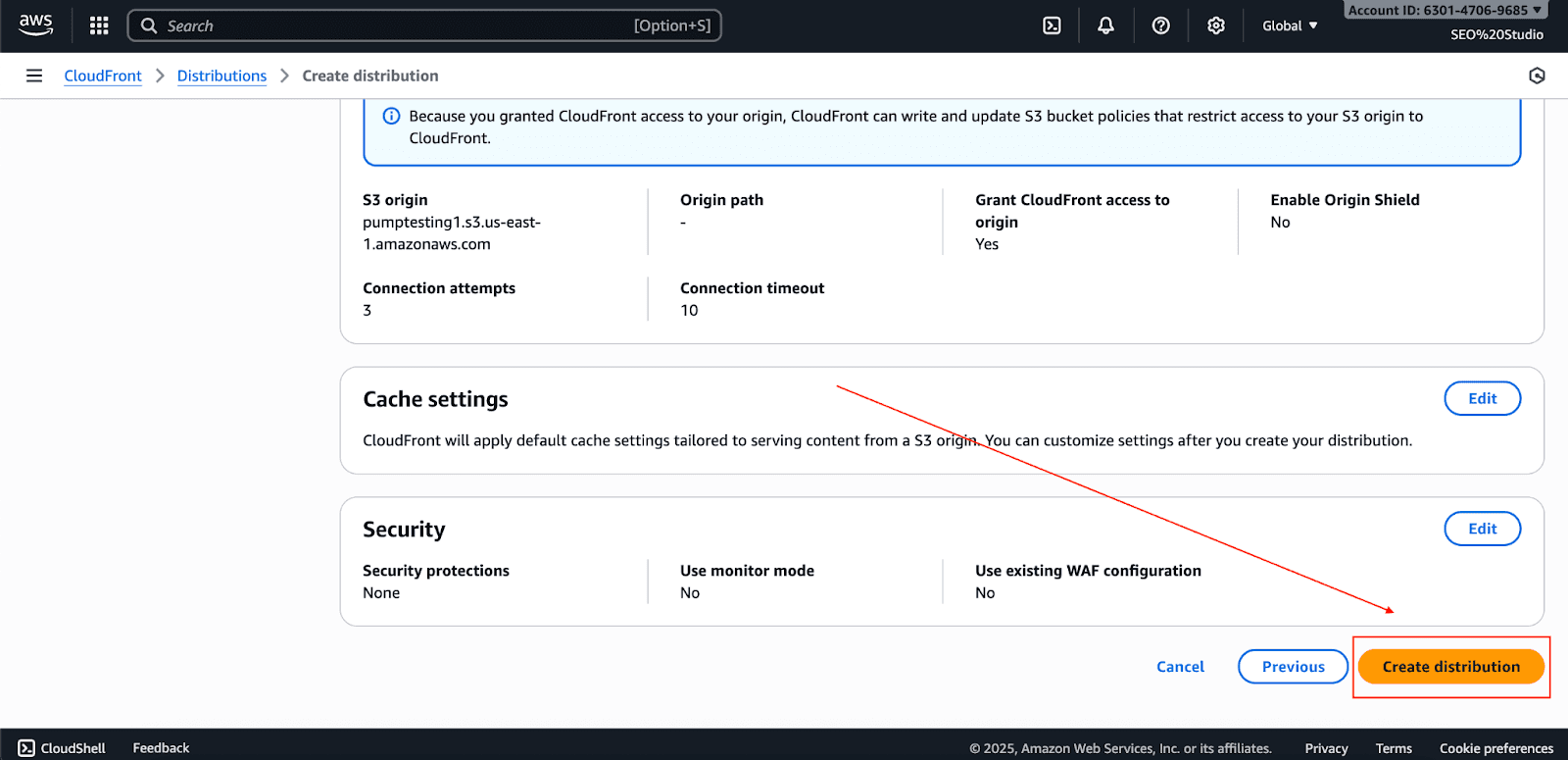
And skip everything and click Create Distribution.
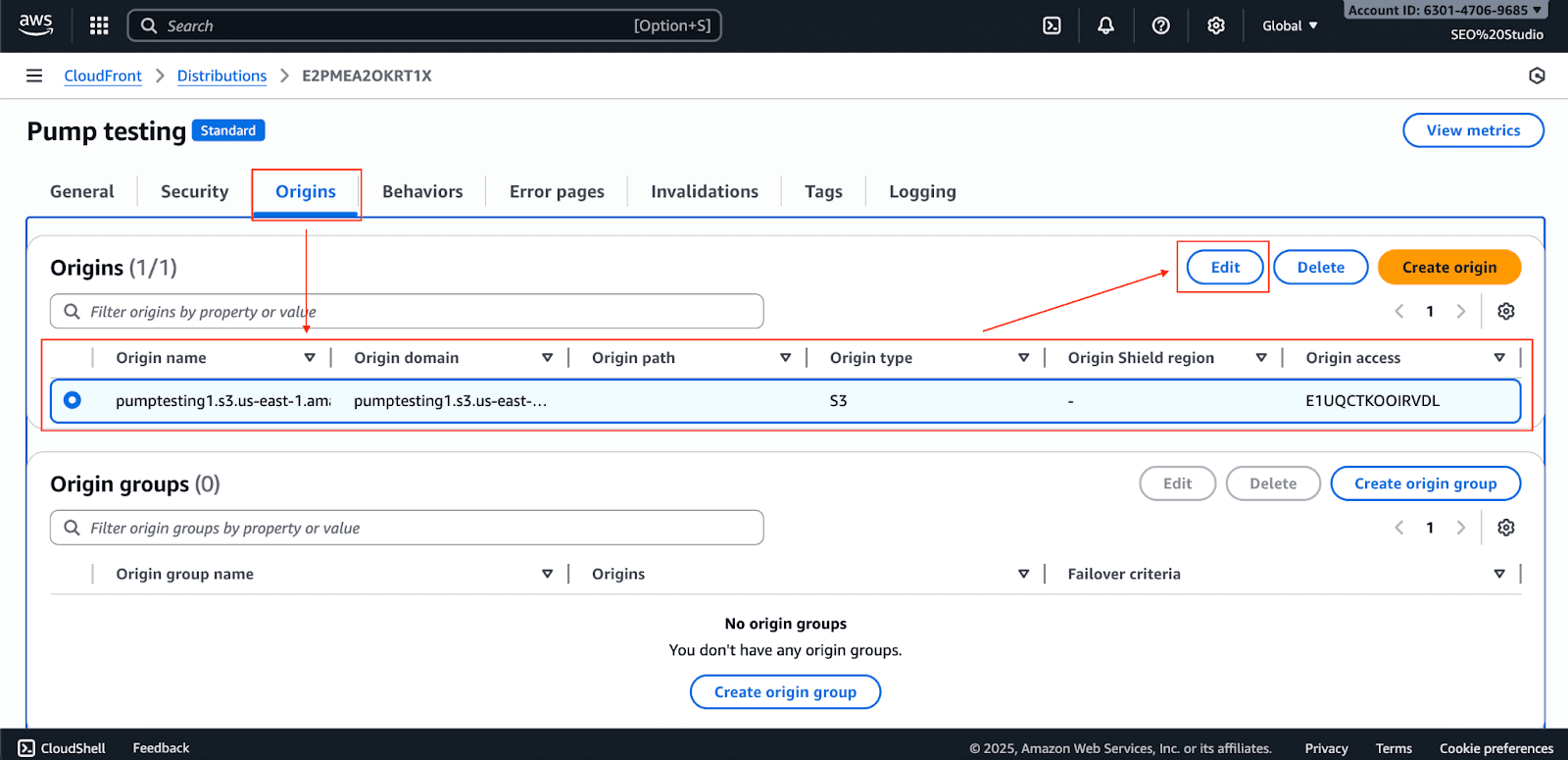
Step 2: Enable Origin Shield (Optional)
Now, go to origin settings, choose the distribution, and edit it.
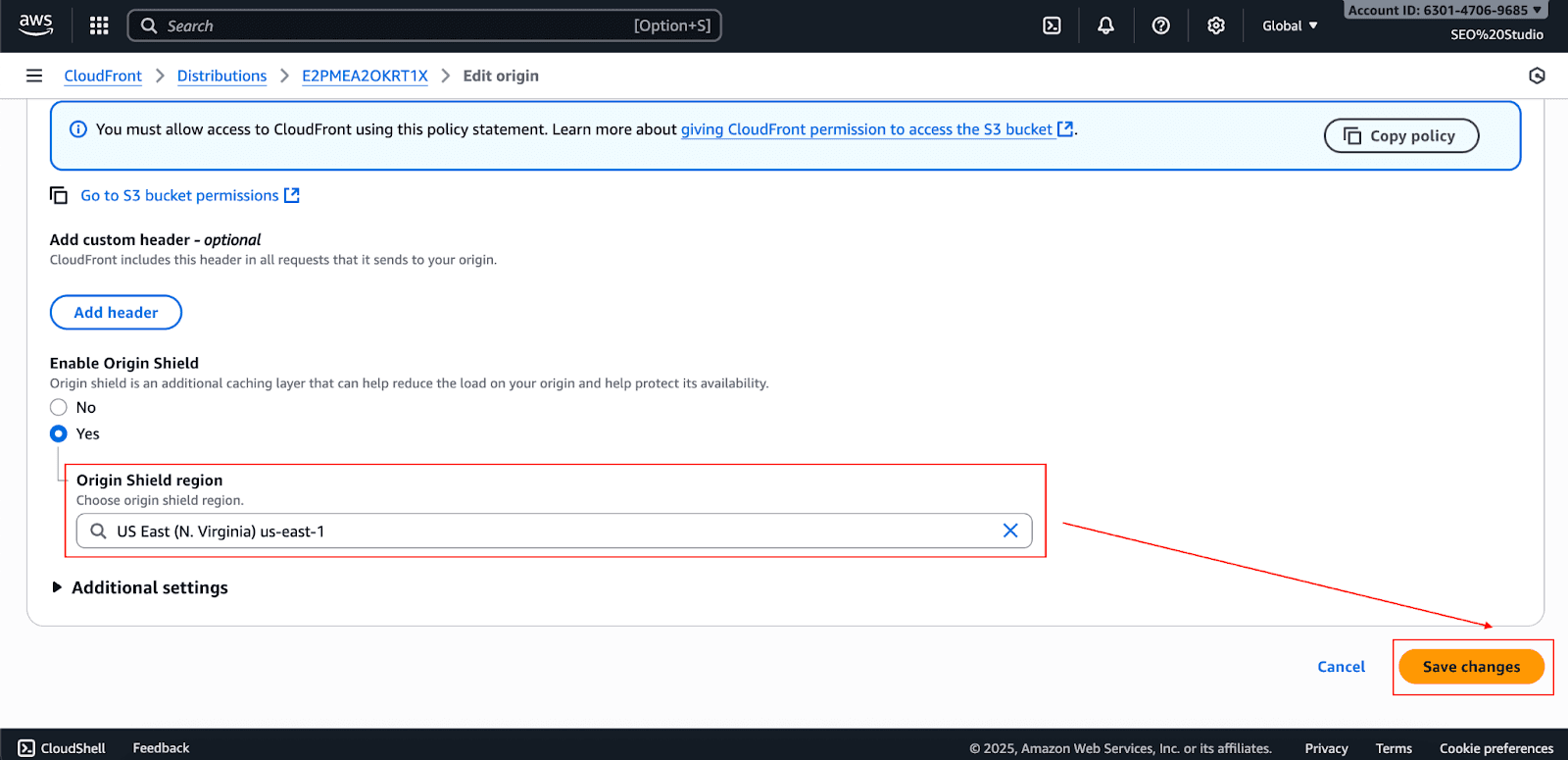
Scroll down and enable the Origin shield to Yes.
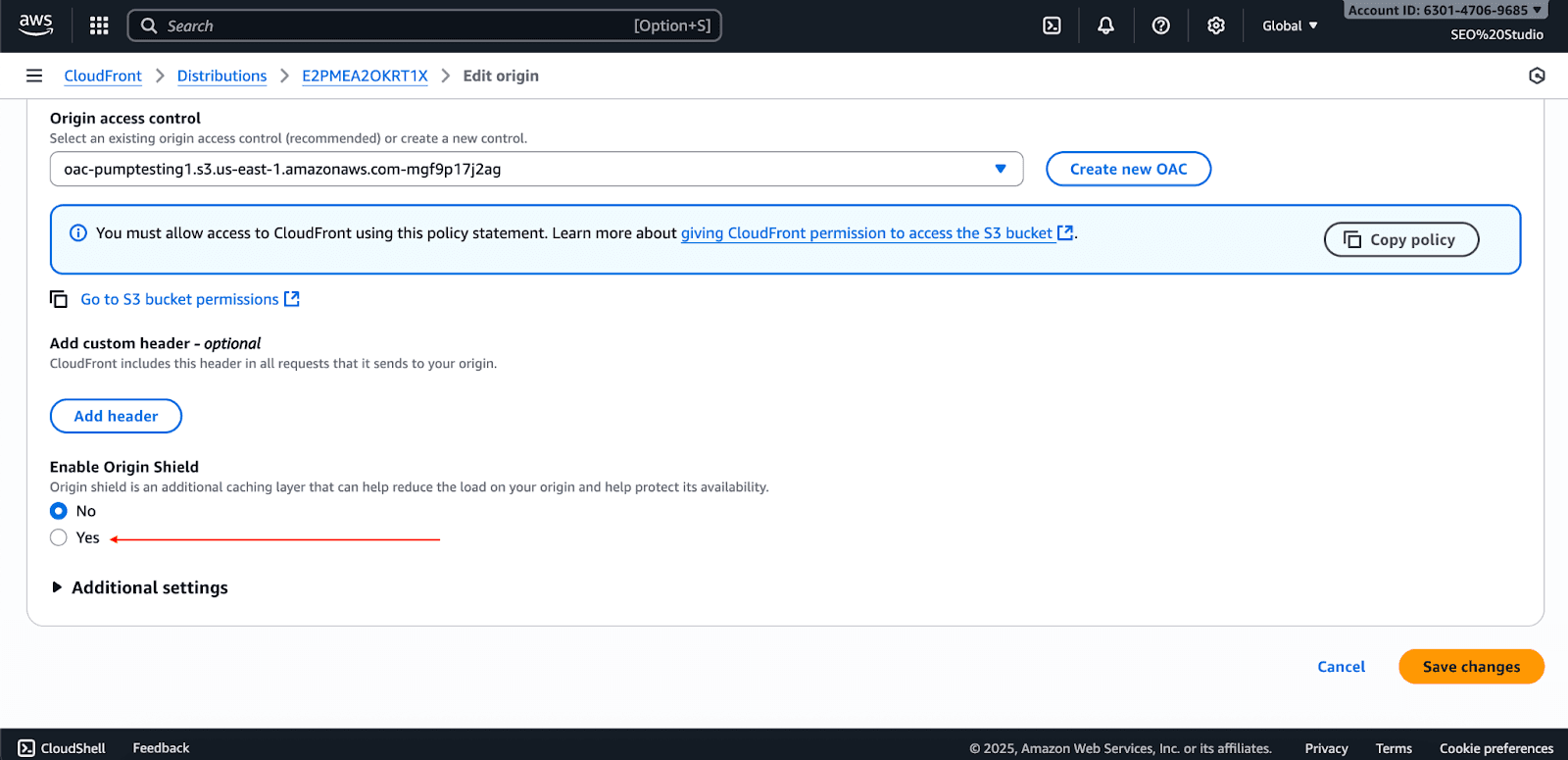
Then choose the region closest to your origin server (if your S3 bucket is in the US, choose the US region) and click Save Changes.
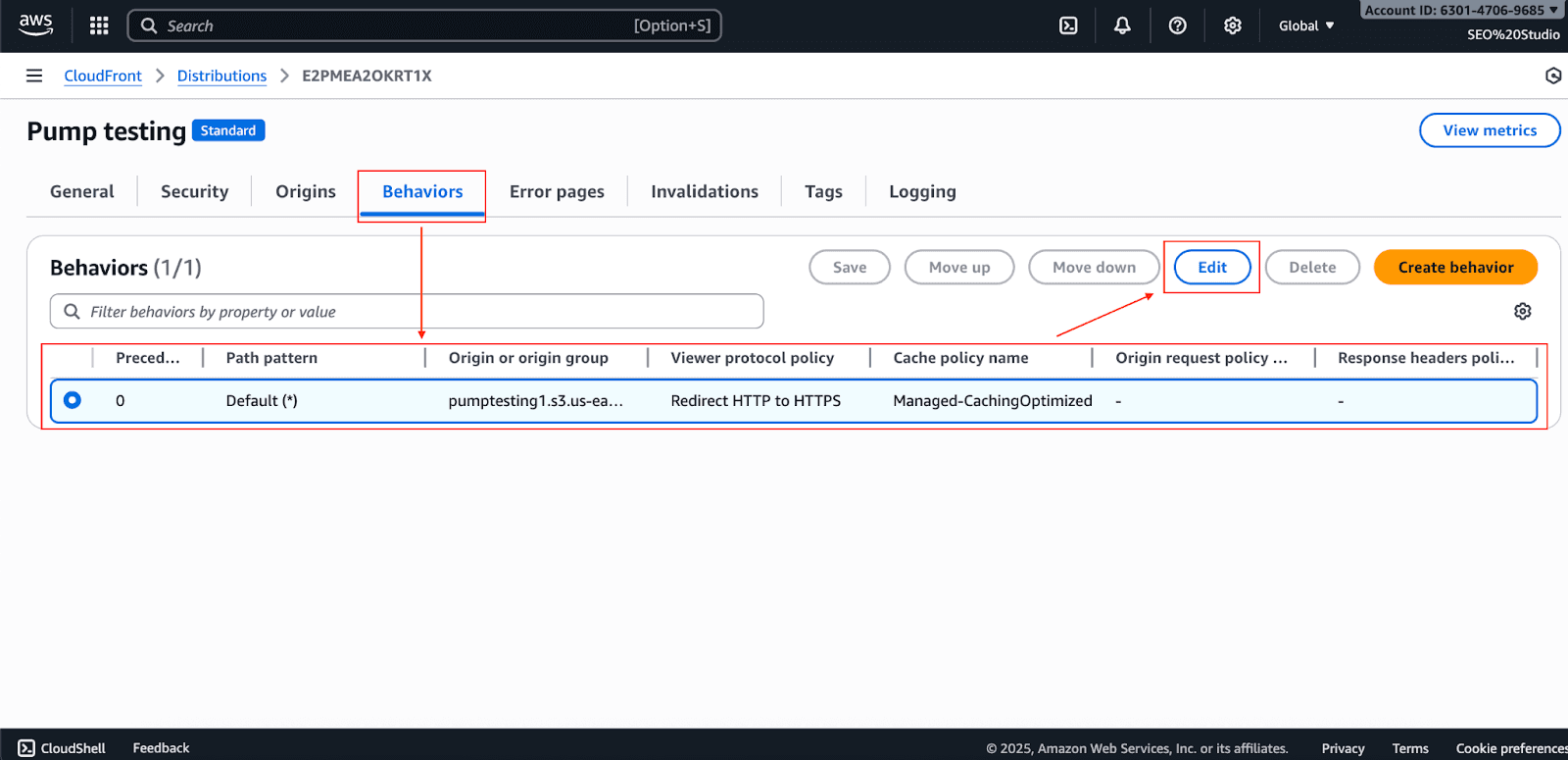
Step 3: Create Cache Behaviors
Go to the Behaviors settings, choose the distribution, and edit it.
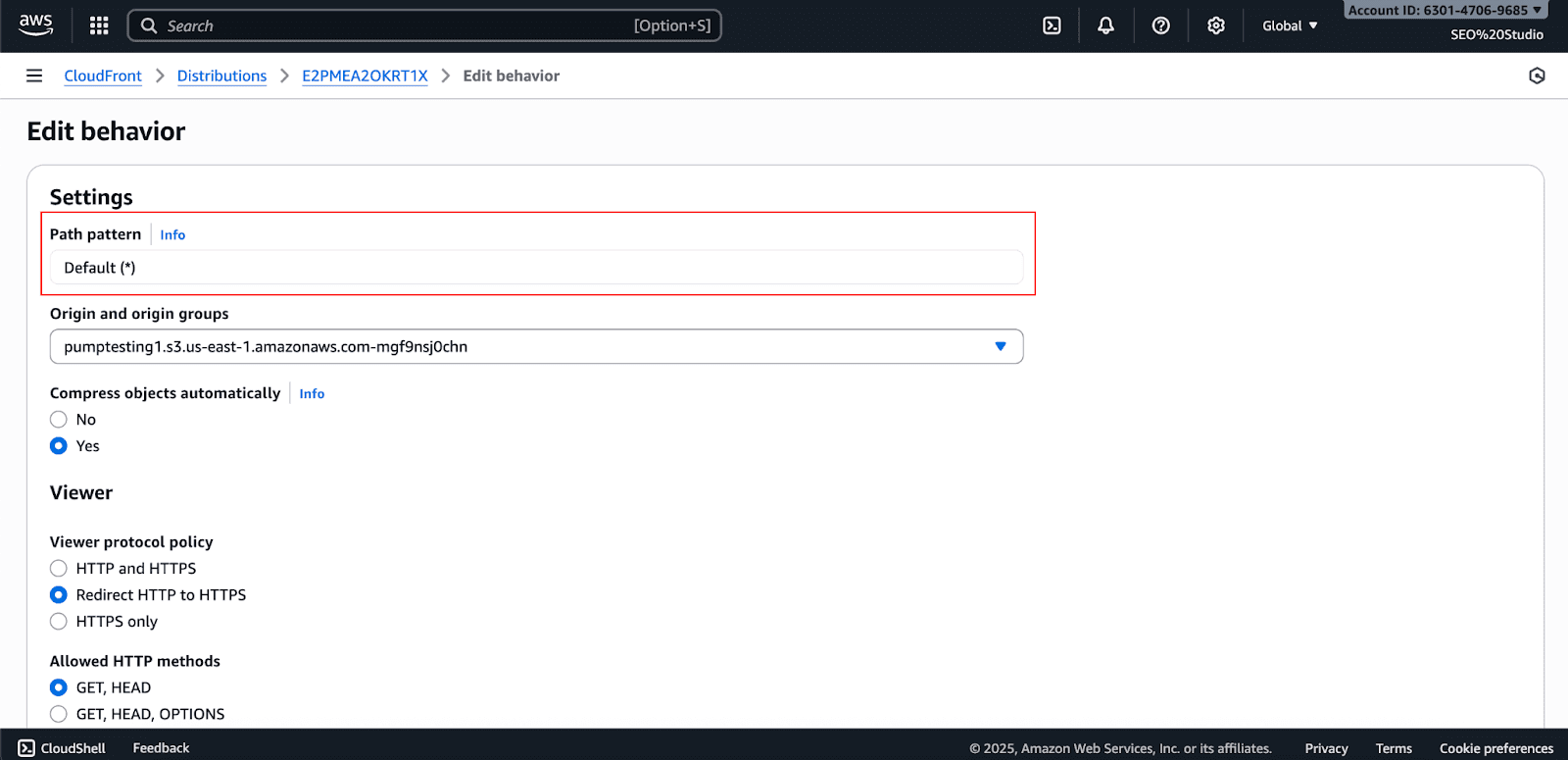
Under Path pattern, type /static/* (Note: If you’re creating a CloudFront distribution for the first time, this field will be locked because the default behavior automatically uses “*” to cover all files. You can create additional behaviors later for specific paths like /static/*.)
Choose your Origin from the dropdown (the one you added earlier).
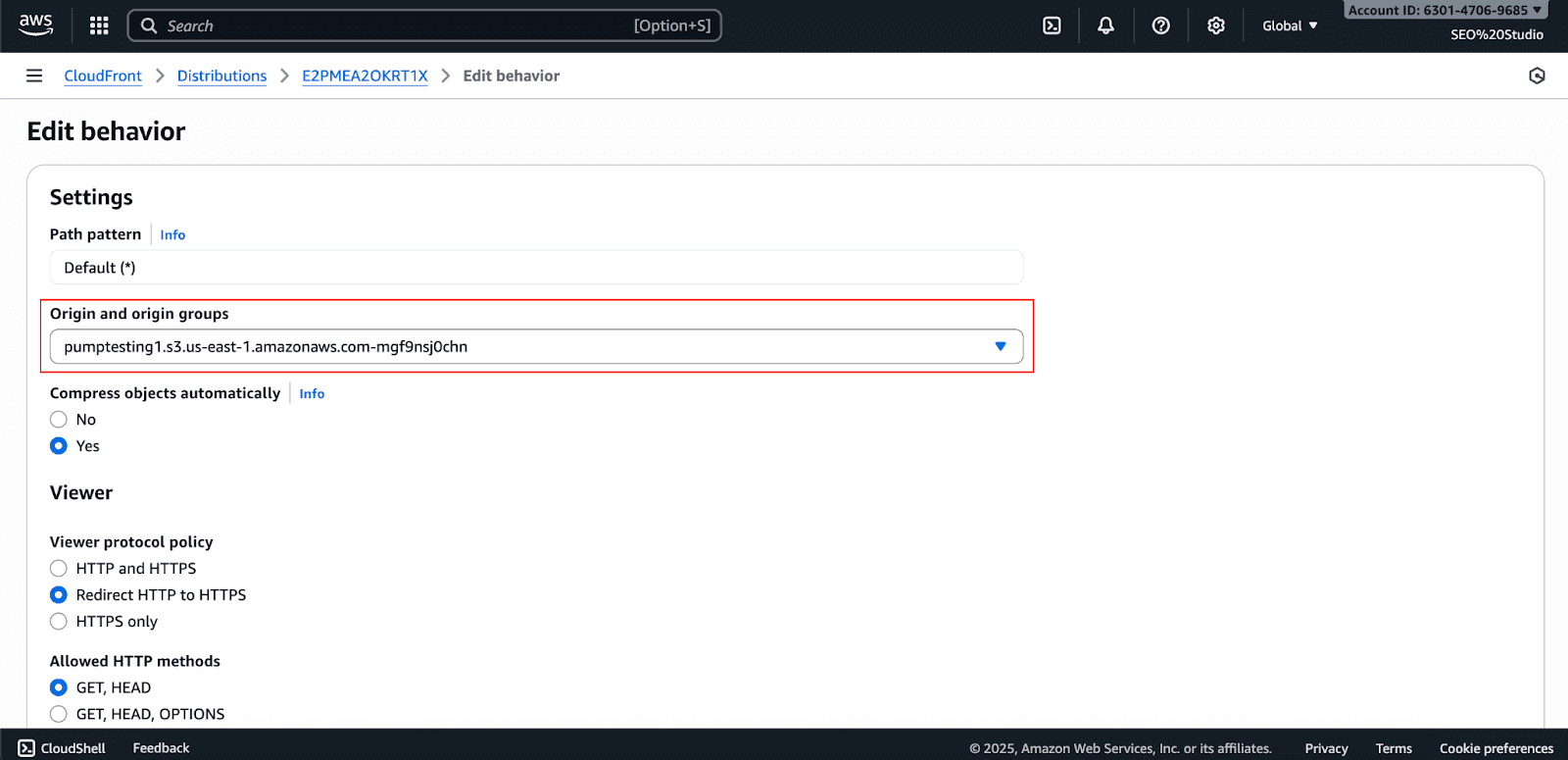
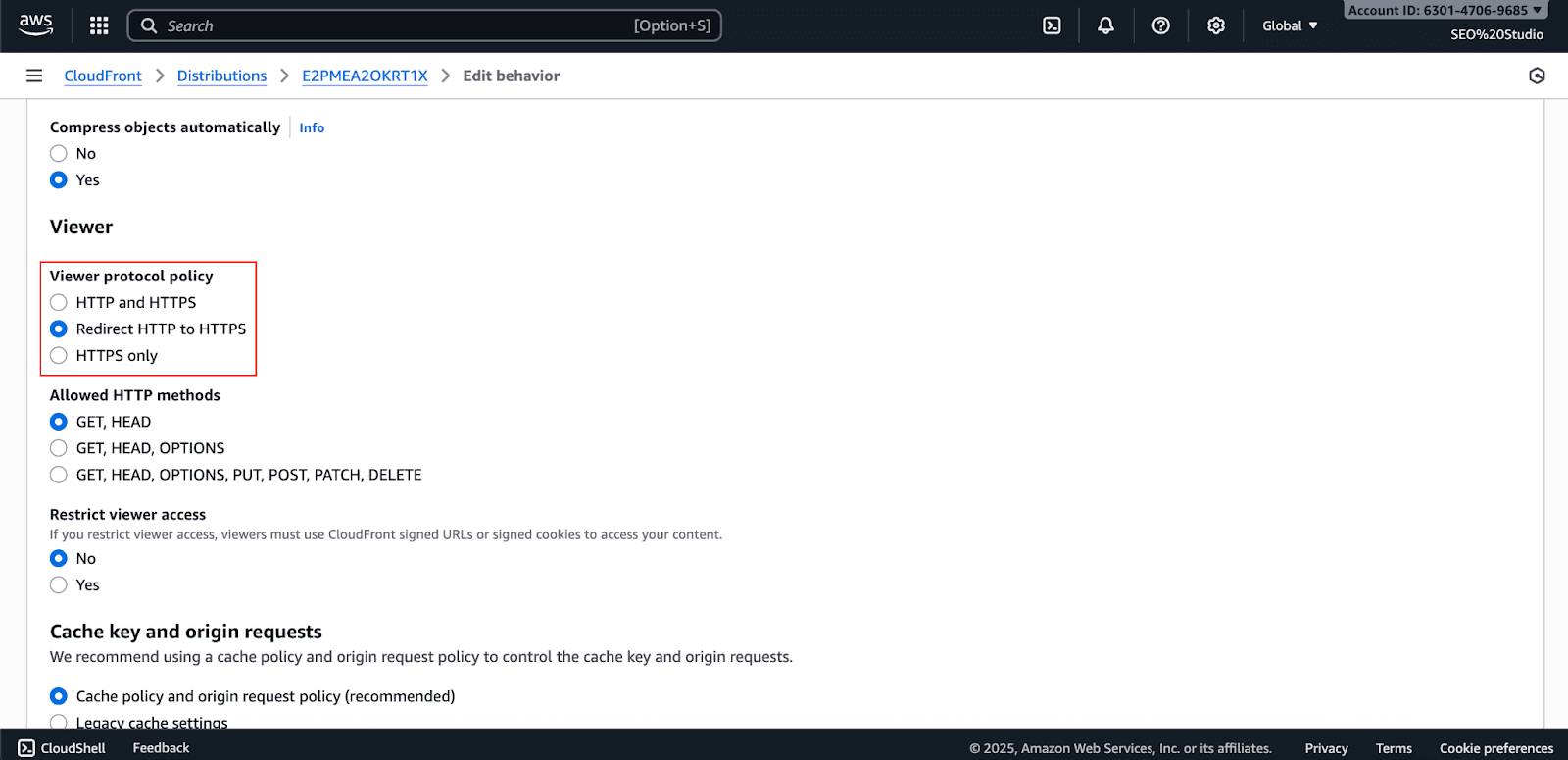
Set the Viewer Protocol Policy to Redirect HTTP to HTTPS.
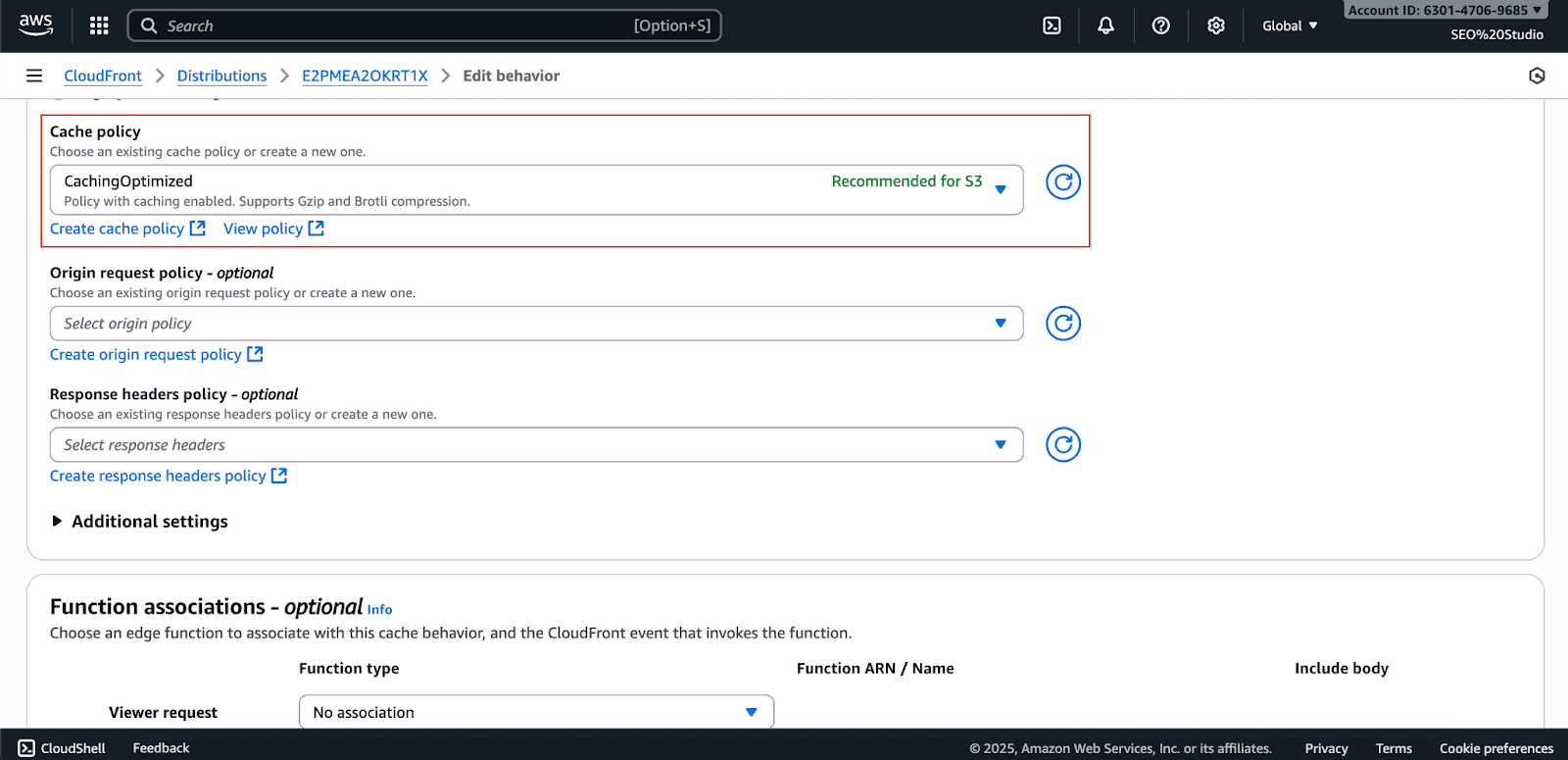
Under cache policy, keep it as default (catchingOptimized)
Click on Save changes.
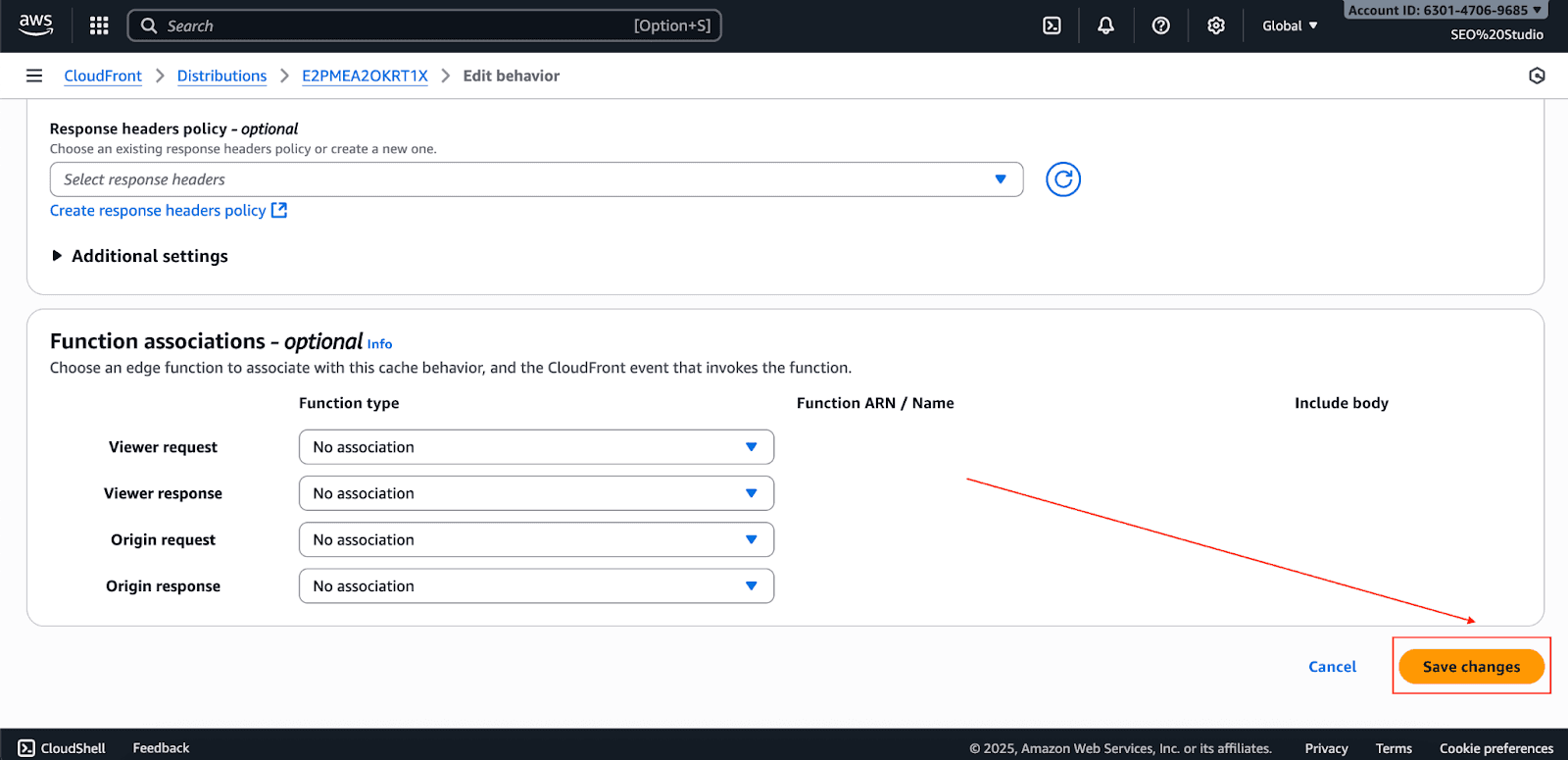
Once you have made all the changes, wait for CloudFront to deploy your changes globally. This usually takes 10-20 minutes.
Cut Cloud Costs with Pump AI Optimization
AWS has powerful native tools, including CloudFront, to balance performance with costs. Now, consider the possibility of attaining even greater savings.
That's where specialized platforms like Pump come in. We provide automated cost optimization for AWS, utilizing AI and group buying to reduce your AWS Cloud costs by 10-60%.
How Pump helps with AWS CloudFront optimization:
AI-powered usage analysis and forecasting
Automated reserved instances discount purchases
Group buying benefits for volume discounts
Risk-free 30-day money-back guarantee
Conclusion
CloudFront’s multi-tier caching system constitutes an advanced architecture for content delivery. Using edge locations with regional edge caches, you can significantly enhance performance and control costs.
Think of it this way: these tiers of caches do not compete with each other; they supplement each other. Edge caches provide low-latency access to the most accessed content, and regional caches cover the gaps for other content to support widespread access.
Is your website performance improvement a priority for you? Go ahead and deploy a CloudFront distribution.
More advanced use cases can utilize Lambda@Edge to develop specific caching logic. With CloudFront, you can provide consistent and timely service to your users around the world.



